
Desk booking software for multi-site offices
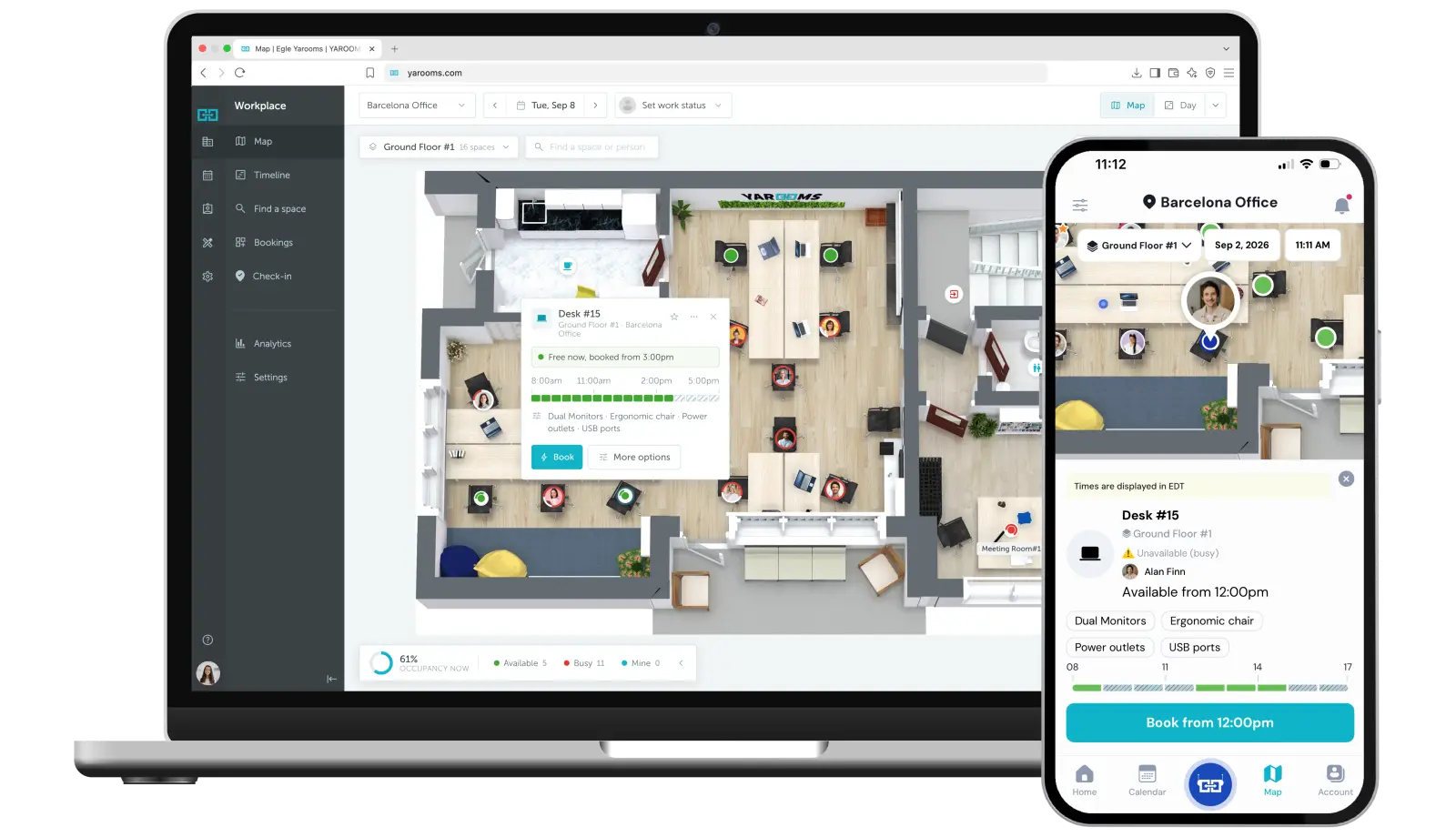
YAROOMS is a desk booking system that lets employees reserve a desk on an interactive floor map, from the web, mobile app, Microsoft Teams or Outlook.
Rated 4.6/5 from 102 reviews on Capterra
Last updated: October 1, 2026
Trusted by innovative organizations worldwide






What is YAROOMS desk booking?
YAROOMS desk booking is a desk booking system for multi-site organizations. Employees reserve a desk on an interactive floor map from the web app, mobile app, Microsoft Teams or Outlook. Administrators set seating rules, capacity limits and no-show release. Desks run in one workspace booking platform with meeting rooms, parking, visitor management and signage.
Find colleagues and book desks on an interactive floor map
With YAROOMS, teams can easily find each other, book nearby desks, and make the most of their time in the office.
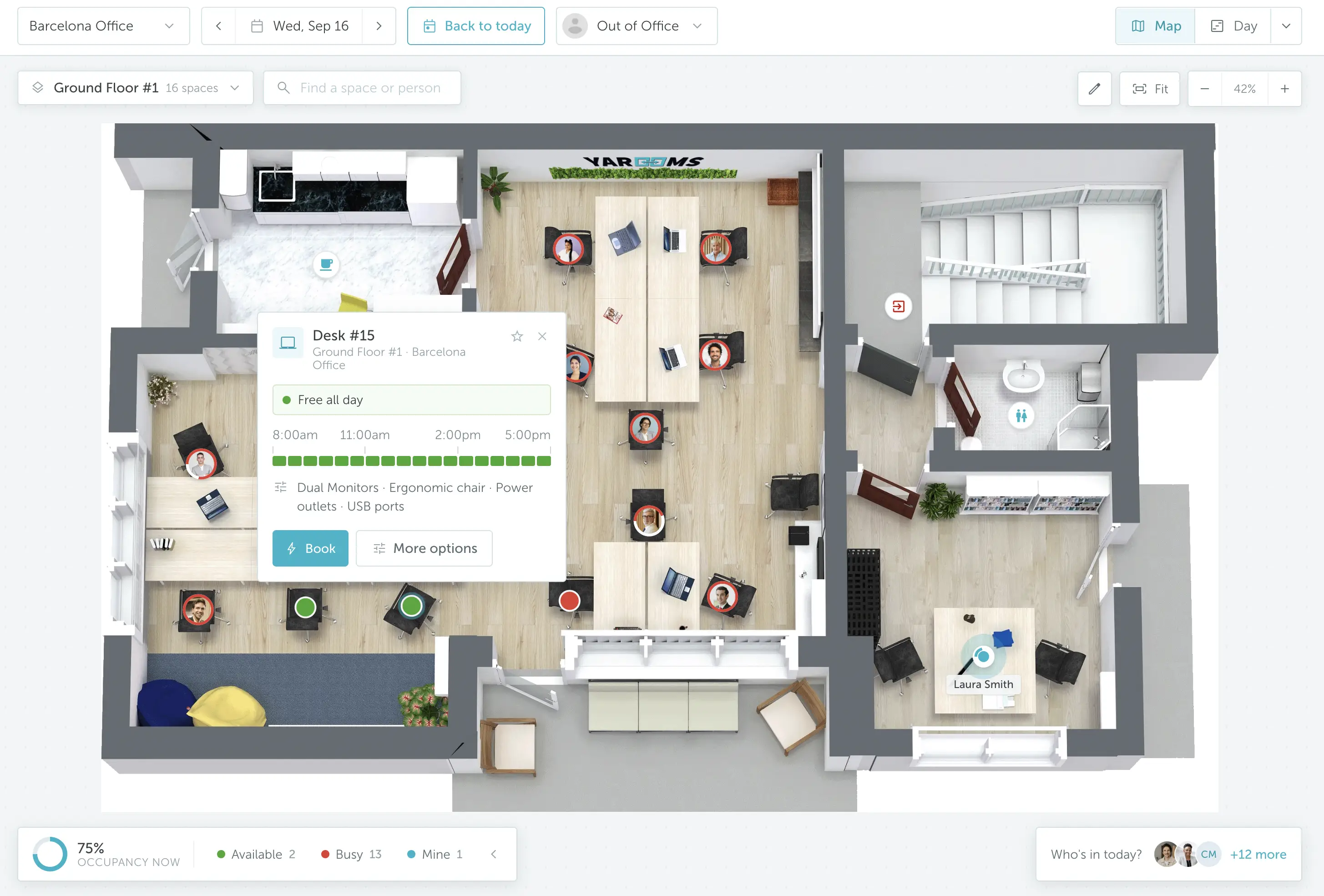
Colleague finder
See who’s in the office and where they’re sitting to plan your day around teamwork and collaboration.
Interactive office map
View all available hot desks on the office floor plan.
Desk amenities
Filter desks by amenities (adjustable chairs, extra monitors, printer access) and find your perfect workstation.
Easy check-in
Confirm your arrival in seconds with the YAROOMS mobile app, a digital desk sign, or a quick QR scan.
Set seating rules, capacity limits and no-show release for desks
Ensure predictable workplace operations while still giving employees the freedom they need in a flexible office.
Seating strategies
Enable hot desking, hoteling, or assign permanent desks for specific teams or employees.
Capacity limits
Set occupancy limits for each area, floor, or building. The system will block new reservations once the office is full.
No-show prevention
Avoid ghost reservations and automatically free up desks when the booker doesn’t check in on time. See desk sharing.
Emergency roles
Make sure someone with Fire Safety or First Aid training is always in the office.
Richard Coope
Future-Ready Workplace Project Manager
Dr. Martens manages flexible desk seating for 550+ employees with YAROOMS in Microsoft Teams
"As we expand with the business, we want partners that can grow with us. And we really appreciate your flexibility and adaptability. If we have to bring in more desks, renumber or relocate them, change the meeting rooms or office maps, we can be sure that the YAROOMS team will do it promptly and professionally."
Read the full storyMeasure desk utilization with reports and office heat maps
See what's working, fix what's not, and shape a workplace that truly fits your team.
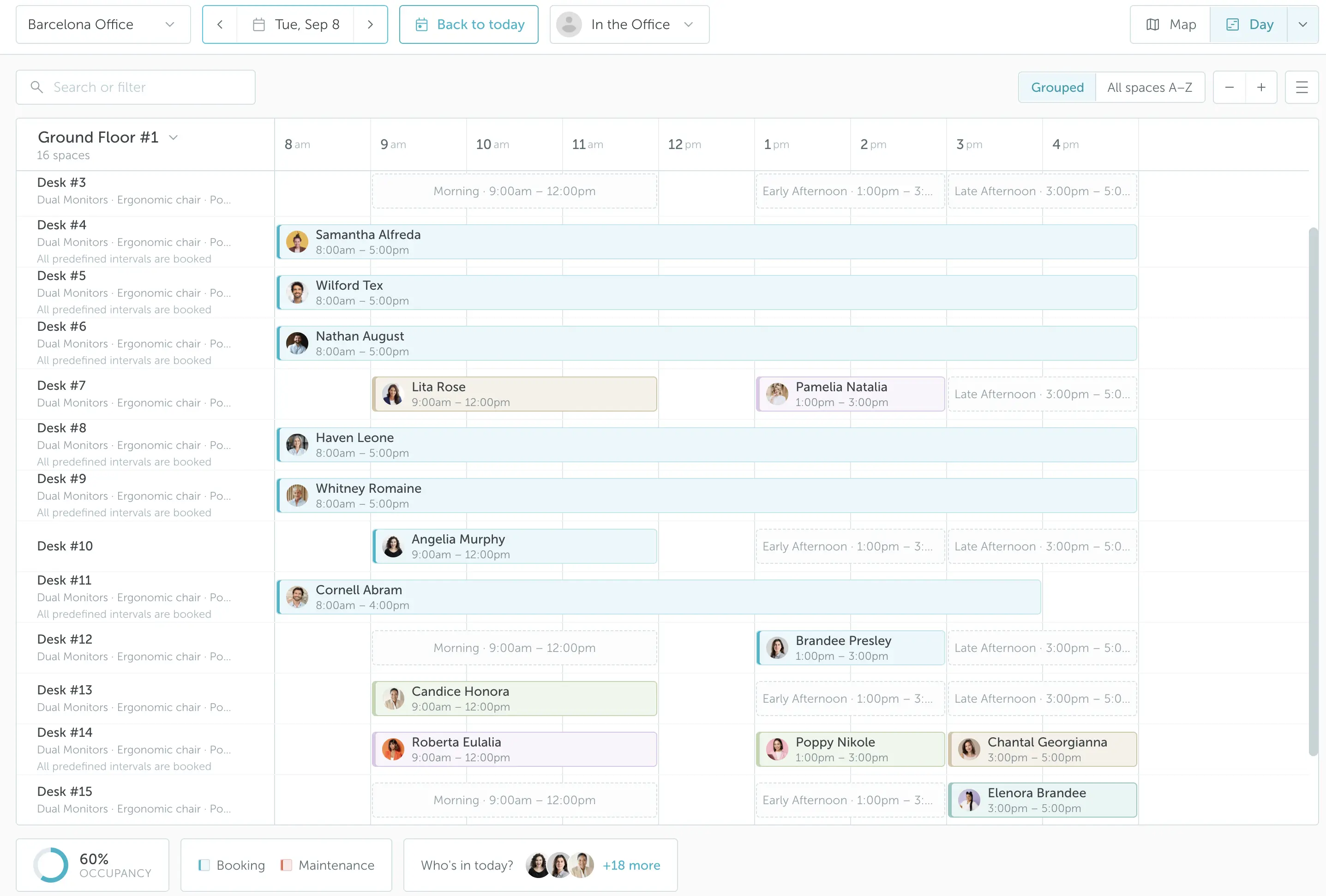
Desk utilization report
Track how often each desk is reserved, see who’s using which spaces, and spot booking trends to optimize your office for real needs.
Office heat maps
View real-time occupancy across the floor with color-coded heat maps that highlight the busiest and quietest areas.
Easy data export
Export desk usage and occupancy data to CSV in one click and share insights across your team.
Book desks from the web, mobile app, desk signs or Microsoft Teams
Stay connected to your workplace from any device or platform.
YAROOMS web app
Book desks from your browser with full visibility into who’s in the office and what spaces are available.
YAROOMS mobile app
Reserve desks, check in, or change plans on the go, all from your smartphone.
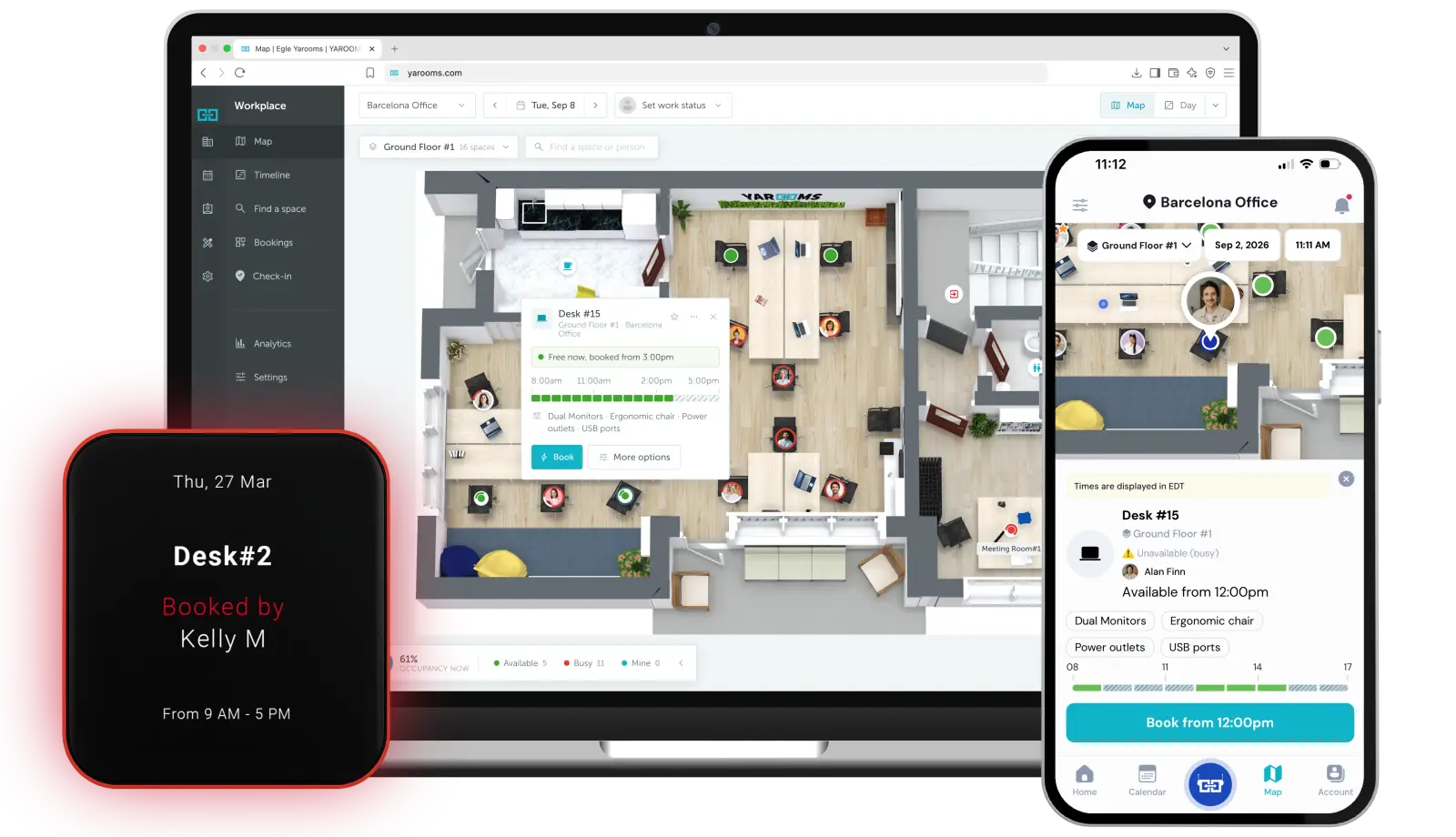
Digital desk sign
See availability at a glance, book instantly with a tap, and check in right at the desk.
Other workplace tools
Use YAROOMS directly in Microsoft Teams, Outlook, or Google Calendar, without switching between apps.
Book desks in Outlook, Microsoft Teams, email and Google Calendar
Our integrations turn desk booking into a seamless part of your everyday workflow, without switching between tools.
Microsoft Outlook
Book hot desks and other workspaces right from Outlook.
Microsoft Teams
Reserve desks without leaving Microsoft Teams.
Email YARVIS, your AI workplace agent, to book a desk.
Google Calendar
Keep bookings in sync by connecting YAROOMS with your Google resources.
Key benefits of desk booking software
Enterprise-grade security
Your data is protected with industry-leading certifications


All you need to manage desks in one platform
Booking experience
Simplified desk reservations, anytime, anywhere
Self-service desk bookings
Easily choose and reserve your workspace whenever you need it, using YAROOMS web app, YAROOMS mobile app, or digital desk signs.
Recurring bookings
Set up recurring bookings that fit your hybrid work schedule.
Multi-day bookings
Reserve a desk for several consecutive days.
Booking on behalf of a colleague
Create or manage bookings for coworkers - perfect for assistants, team leads, or office managers.
Private (incognito) bookings
Book a workspace privately without displaying your name or booking details to others.
Wayfinding
Use the interactive floor map and built-in wayfinding directions to locate desks, colleagues, and navigate the office easily.
AI workplace agent
Use YARVIS, the AI workplace agent in Microsoft Teams and email, to reserve desks, find colleagues, and manage recurring bookings effortlessly.
How YAROOMS compares
YAROOMS, Robin, Skedda and Envoy all offer desk and room booking. They differ on floor plans, workplace analytics, how complete visitor management is in the same platform, and AI in Microsoft Teams.
| YAROOMS | Robin | Skedda | Envoy | |
|---|---|---|---|---|
| Desk and room booking | Yes | Yes | Yes | Yes |
| Parking booking | Yes | Yes | Yes | Yes |
| Wi-Fi check-in | Yes | Yes | Yes | No |
| 3D interactive floor plans | Yes | No (2D only) | No (2D only) | No (2D only) |
| Office heat maps | Yes | No | No | No |
| Visitor photos | Yes | No | No | Yes |
| Visitor analytics | Yes | Yes | No | Yes |
| Conversational AI agent in Microsoft Teams | Yes (Yarvis) | No | No | No |
| Pricing | Public, from $99/month, no annual commitment | Custom quote, no public pricing | From $99/month (15 spaces), billed annually | Reservations from $5 per resource per month, billed annually |
Full comparisons: YAROOMS vs Robin, YAROOMS vs Skedda and YAROOMS vs Envoy.
Ready to see the big picture?
Learn how thousands of forward-thinking organizations use YAROOMS to manage desks, rooms, and the entire workplace.
Desk booking software: FAQ
Answering the most popular questions about desk booking software platforms.
A desk booking system is a software platform that lets employees reserve workstations in advance, rather than relying on permanently assigned desks. It manages who sits where, when and for how long, giving organizations real-time visibility into desk availability and occupancy. YAROOMS is a desk booking system built for hybrid teams, combining an interactive floor map, analytics, and integrations with Microsoft 365, Microsoft Teams and Google Workspace.
Desk booking is the practice of reserving a workstation in advance instead of being assigned one permanently. It is what makes hot desking, desk hoteling and activity-based working possible, and it lets an office seat more people than it has desks. YAROOMS, for example, runs all three seating models in the same office, so one floor can be hot desks while another keeps assigned seats.
Desk booking software is a digital platform that enables organizations to manage workspace reservations. Most platforms have three parts: a floor map for employees, a rules engine for administrators, and utilization reporting. Some examples of desk booking software include YAROOMS, Skedda, Kadence, Robin, and more.
Desk booking software works by turning a fixed set of desks into a bookable inventory, then managing the claim on each one. Five steps:
- Browse - an employee opens an interactive floor map or list showing which desks are free on a given day.
- Filter - they narrow by what they need: an extra monitor, an adjustable chair, a quiet zone, a desk near their team.
- Reserve - they book it for a full day, half day or a custom time slot.
- Check in - on arrival they confirm they are there, which converts the reservation into an occupied desk.
- Auto-release - if no check-in happens within a set grace period, the desk returns to the pool for someone else.
Step 4 is the one buyers underestimate. Without a check-in step, a booking system records intentions rather than attendance, and the utilization data it produces is worth very little. YAROOMS handles check-in through the mobile app, a digital desk sign, a QR scan, or automatically by Wi-Fi or geofence.
Four key benefits of desk booking software:
- Better space utilization - desks get used rather than sitting empty behind a booking nobody honored.
- Lower real-estate cost - once you can see real occupancy, you can size the office to how it is actually used rather than to headcount.
- Easier hybrid coordination - people see who is in on which day and plan around it, so office days produce collaboration instead of a quiet room.
- Occupancy data you can act on - utilization by desk, zone and floor, which is what justifies a layout change or a lease decision.
YAROOMS delivers these through no-show auto-release, a colleague finder, office heat maps and CSV-exportable utilization reports.
Desk booking software is used by organizations with hybrid or flexible work policies, usually bought and run by facilities, workplace experience, HR or IT. It is most common where there are more employees than desks, or where an office spans several floors or sites. Among YAROOMS customers, Saipem runs desk booking for 4,000 employees at its Milan headquarters alongside more than 200 room screens, and Cerved onboarded over 2,000 employees in seven days through Microsoft Teams, reporting a 50% cut in real-estate cost.
Desk booking software is usually priced per user per month, with enterprise tiers priced per site or per desk instead. Three things drive the number:
- Number of users - the primary lever on almost every vendor's pricing.
- Number of bookable spaces - desks, meeting rooms and parking spots are often counted separately.
- Hardware - room panels, digital desk signs and lobby displays are typically add-ons rather than included.
YAROOMS desk booking software pricing as of October 2026, in USD, billed monthly:
- Starter plan starts at $99 per month for 10 users (up to 20 users on the same plan), 1 location and 2 floors with interactive floor map
- Business plan starts at $399 per month and covers up to 200 users, 2 locations and 90 days of workplace analytics
- Enterprise plan starts at $899 per month and it's suggested for organizations with 300+ users. The plan covers 5+ locations and unlimited workplace analytics.
Annual billing saves 20% on every plan.
The best desk booking platforms most often shortlisted in 2026 are deskbird, Envoy, OfficeSpace, Robin, Skedda and YAROOMS. Which is best depends on three things: whether you need desk booking on its own or as part of a wider workplace platform, which calendar ecosystem you already run, and what your security review requires.
YAROOMS is the best fit when desks sit alongside room booking, parking, visitor management and hybrid scheduling in one system; when you need booking native to Microsoft 365 or Microsoft Teams; and when procurement requires ISO 27001, ISO 27701 and SOC 2 Type II.
If you run a single office and only need a shared-desk calendar - no rooms, no parking, no visitors - a lighter single-purpose tool will be cheaper and faster to deploy.
You manage hoteling desks across multiple locations by holding every site in one desk inventory, then setting booking rules per site rather than globally. Five steps:
- Add every location - buildings, floors and zones in a single inventory, so employees see all offices in one place.
- Set booking rules per location - how far ahead desks can be booked, how long a booking can run, and the capacity cap for each area or floor.
- Restrict sensitive zones - limit specific desks or areas to named teams or roles.
- Give employees one view - so someone visiting another office can find and book a desk there without a separate login or a second system.
- Report by location - compare utilization site by site to see which offices are over- or under-provisioned.
Step 2 is where multi-site rollouts usually come unstuck. If rules are global, a policy that suits headquarters gets imposed on every satellite office. YAROOMS sets rules per building and floor, so a London floor can run differently from a New York one without a separate deployment.
You assign permanent desks by marking specific desks as reserved for a named employee or team, then leaving the rest of the floor open to booking. The two models run side by side - assigning some desks does not switch the whole office out of hot desking.
In YAROOMS, an administrator opens the floor map, assigns a desk to an individual or blocks a group of desks for a department, and leaves the remainder set to hot desking or hoteling. Restricted zones control who can book sensitive areas. Assigned desks still appear in the utilization report, so you can see whether the people holding them actually turn up - which is usually how organizations decide whether an assignment is still justified.
Related Products
Desk Sharing
Desk sharing software with check-in, no-show release, booking limits per team and assigned desks that open up on free days. Track utilization per desk.
Room Booking System
YAROOMS is a room booking system for meeting rooms. Book from Outlook, Google Calendar, Microsoft Teams, the mobile app or a door display.
Desk Signs
Modern desk signs that keep your office organized, even when everyone's on the move. Easily find a free desk and book it in seconds.
Yarvis AI Workplace Agent
Yarvis works where your people already work. In Teams, in email, and soon in SMS, it handles workplace coordination before friction starts.
We use cookies to analyze traffic and improve your experience.
Cookie preferences
Required for the site to function
Help us understand how visitors use the site
Used to deliver relevant ads